
A laptop charger may look like a simple accessory, but the Dell Laptop AC Adapter 19V plays an important role in keeping your computer powered, charged, and ready for work. If your original adapter has stopped working, becomes unusually hot, or has developed a damaged cable, choosing the correct replacement is essential.
But here is the problem: not every 19V adapter is suitable for every Dell laptop.
Voltage, amperage, connector size, wattage, polarity, and compatibility all matter. Using the wrong adapter can cause charging problems or prevent your laptop from working correctly.
In this guide, we will explain what a Dell 19V AC adapter is, how it works, how to check compatibility, what the numbers on the charger mean, and what you should look for before buying a replacement.
What Is a Dell Laptop AC Adapter 19V?
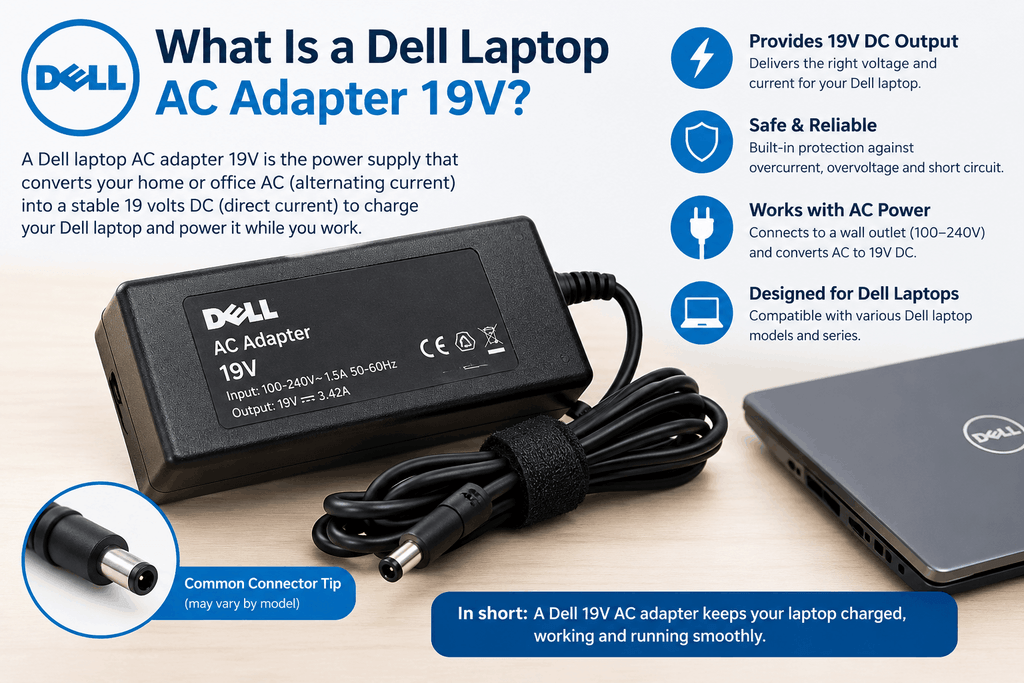
A Dell Laptop AC Adapter 19V is a power supply designed to convert electricity from a wall outlet into the appropriate DC power required by a compatible Dell laptop.
A typical adapter has two main parts:
- AC power input
- DC power output
The adapter receives electricity from your household outlet and converts it into a lower-voltage form that the laptop can use.
The 19V specification refers to the adapter’s output voltage. However, voltage alone is not enough to determine whether a charger is compatible with your Dell laptop.
For example, two adapters may both provide 19V but have different amperage ratings, wattage levels, or connector designs.
That is why checking the complete power specification is important.
Why Is the 19V Rating Important?
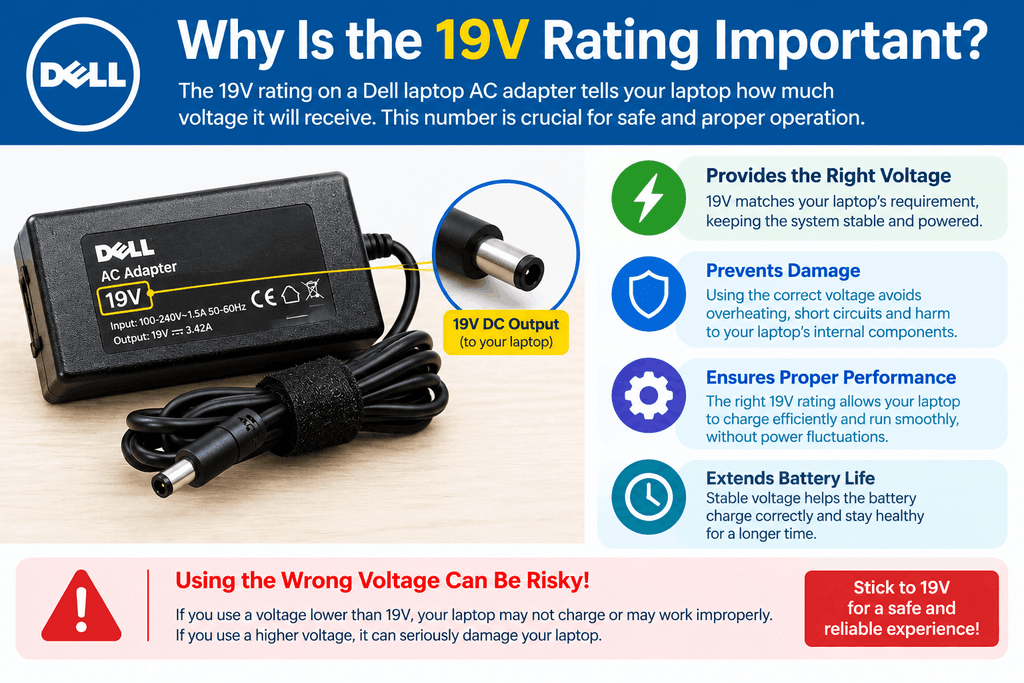
Voltage is one of the most important specifications printed on a laptop adapter.
If your Dell laptop requires an adapter with a particular voltage, the replacement should provide the voltage specified for that model.
The label may look something like:
Output: 19V ⎓ 3.42A
This means the adapter provides 19 volts of DC output and can supply up to 3.42 amps under its rated conditions.
Another adapter might say:
Output: 19V ⎓ 4.74A
Although both adapters have a 19V output, their current capabilities are different.
Therefore, don’t simply search for “19V Dell charger” and buy the first result you see. Check your laptop and original adapter specifications first.
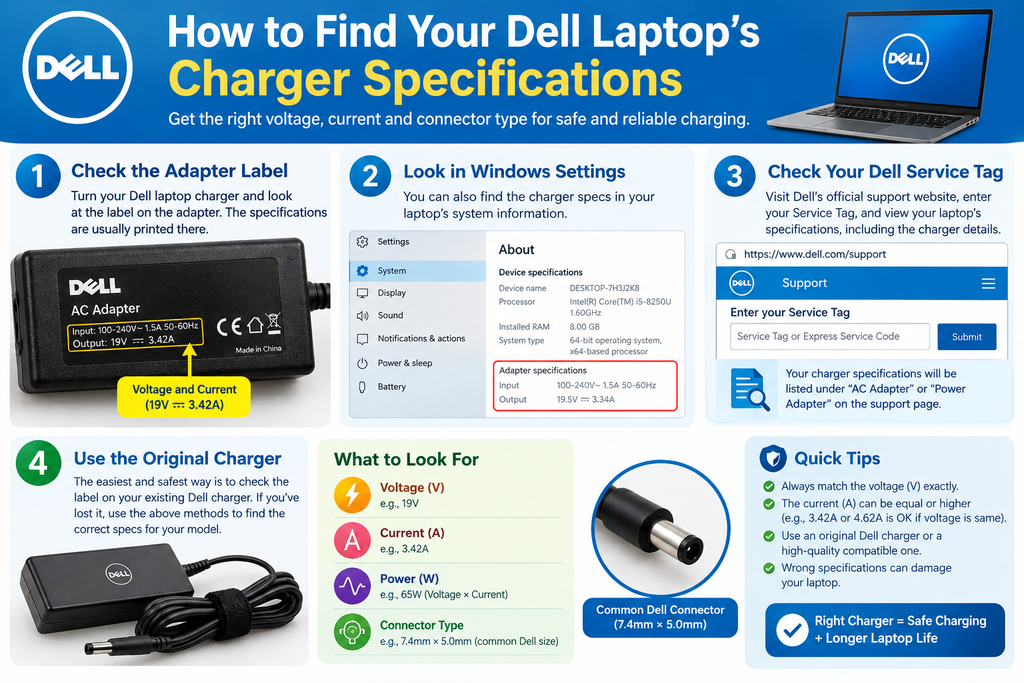
How to Find Your Dell Laptop’s Charger Specifications
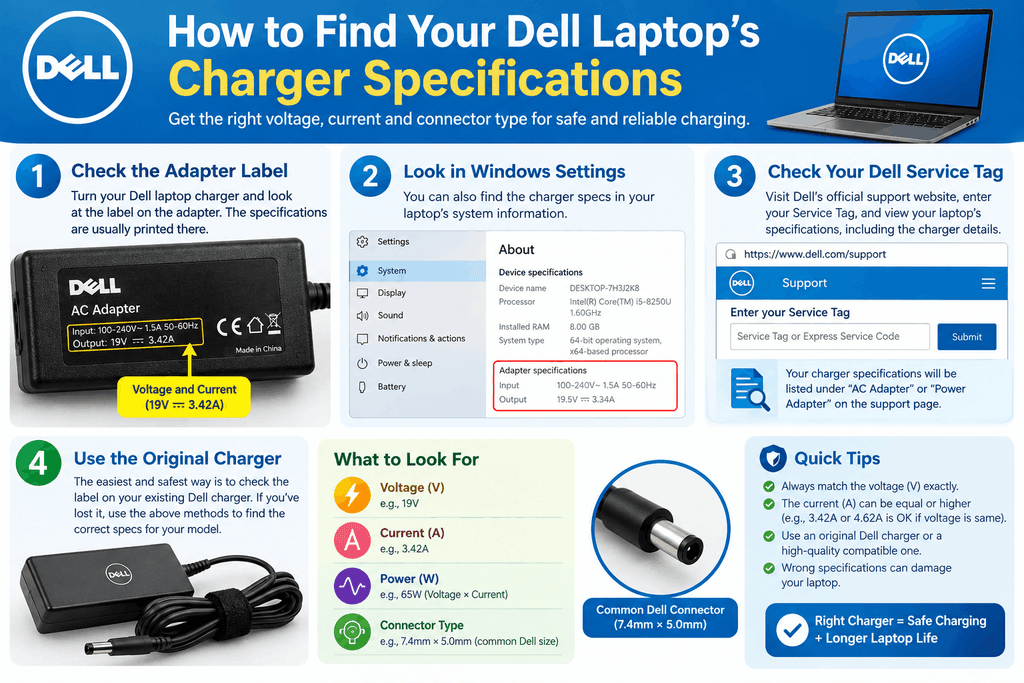
Finding the correct information is usually straightforward.
1. Check the Original Adapter
Look at the label on your existing Dell charger. You may find information such as:
- Input voltage
- Output voltage
- Output current
- Wattage
- Model or part number
- Connector information
The output section is particularly important.
2. Check the Laptop Model
Look underneath your Dell laptop for a model name or service information. You can then use the exact model when searching for a compatible adapter.
For example, don’t search only for:
Dell 19V charger
Instead, search using the complete laptop model and required charger specification.
3. Check the Laptop Documentation
Your laptop’s documentation may also provide the recommended power requirements.
If you still have the original packaging or user manual, it can be a useful source of information.
Understanding Voltage, Amps, and Watts
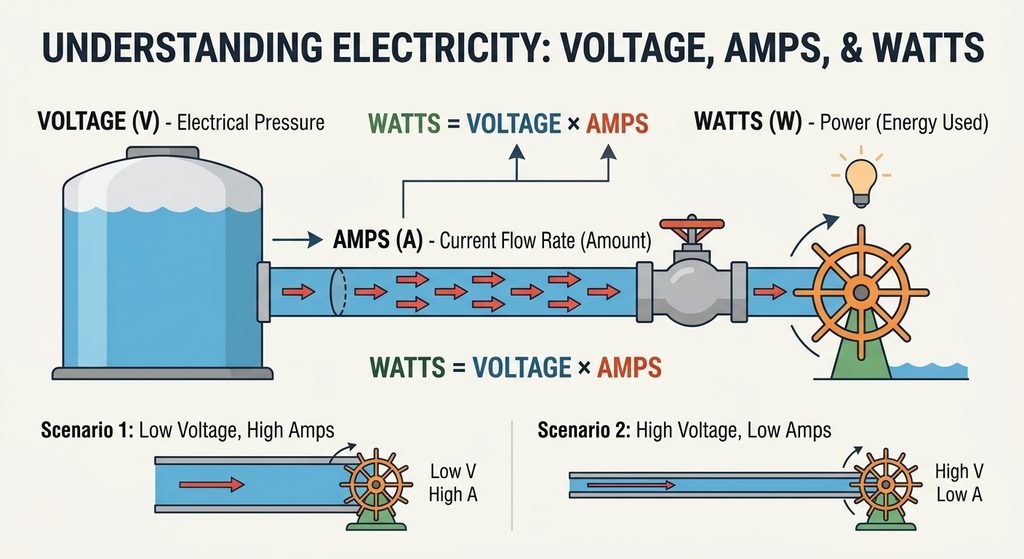
Three terms frequently appear when shopping for laptop power adapters: voltage, amperage, and wattage.
Understanding them makes choosing a replacement much easier.
Voltage
Voltage describes the electrical potential supplied by the adapter.
For this article, the important figure is 19V.
Amperage
Amperage indicates how much current the adapter can supply.
For example:
19V × 3.42A = approximately 65W
while:
19V × 4.74A = approximately 90W
This gives you an approximate wattage rating.
Wattage
Wattage is calculated using:
Watts = Volts × Amps
So a 19V adapter rated at 3.42A provides approximately 65 watts.
A 19V adapter rated at 4.74A provides approximately 90 watts.
This is why you should check the wattage required by your specific Dell laptop before purchasing a replacement.
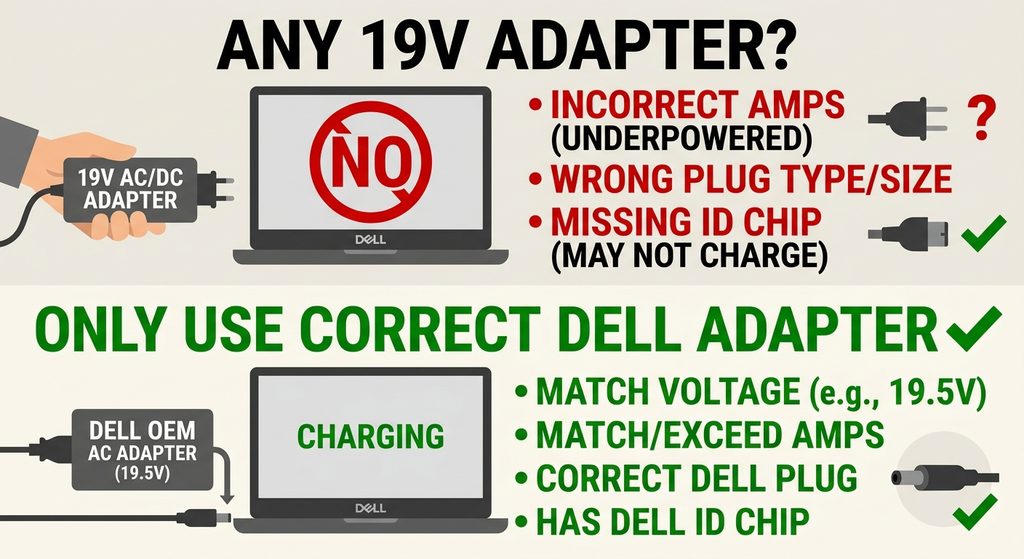
Can You Use Any 19V Adapter With a Dell Laptop?
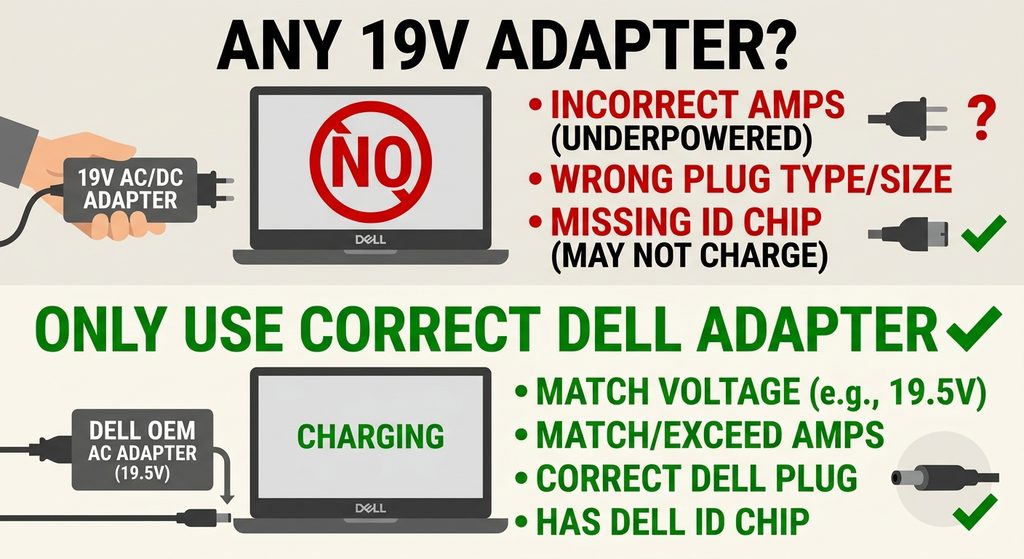
No.
This is one of the most important things to remember.
A charger being labeled “19V” does not automatically make it compatible with your Dell laptop.
You should also check:
- Required wattage
- Output current
- Connector size
- Polarity
- Dell compatibility
- Adapter model or part number
A physically similar plug may fit into the laptop while still being unsuitable electrically.
That’s why compatibility should always come before price.
Why the Correct Connector Matters
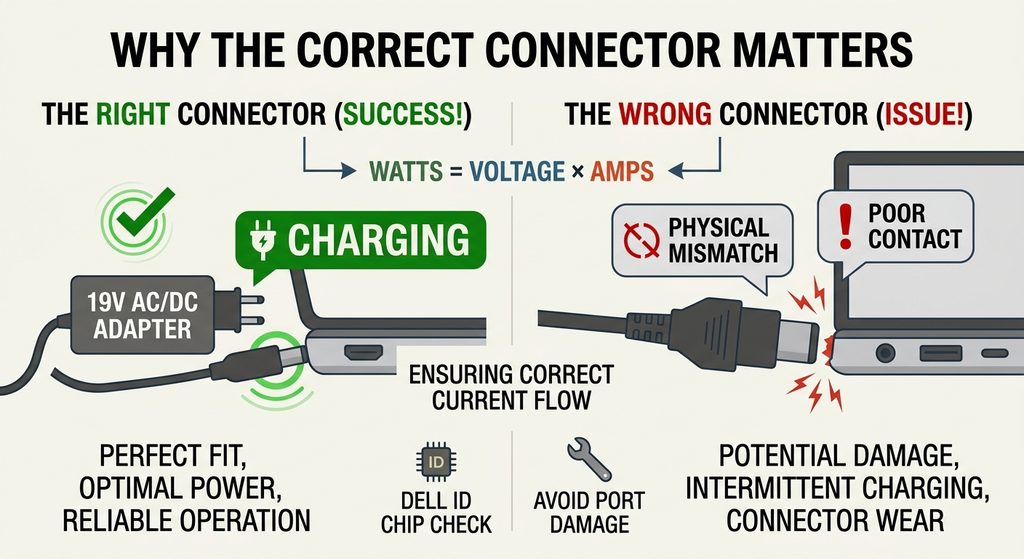
The connector is another critical part of a laptop adapter.
Dell has used different connector designs across its laptop families. Some models may use a traditional barrel-style connector, while newer systems may use different charging technologies.
Even when the voltage is correct, an incompatible connector can prevent proper charging.
Before ordering a replacement, compare the plug on your existing adapter with the replacement specification.
If possible, use the laptop’s exact model number when searching for an adapter rather than relying only on photographs.
Signs That Your Dell AC Adapter May Need
Replacement
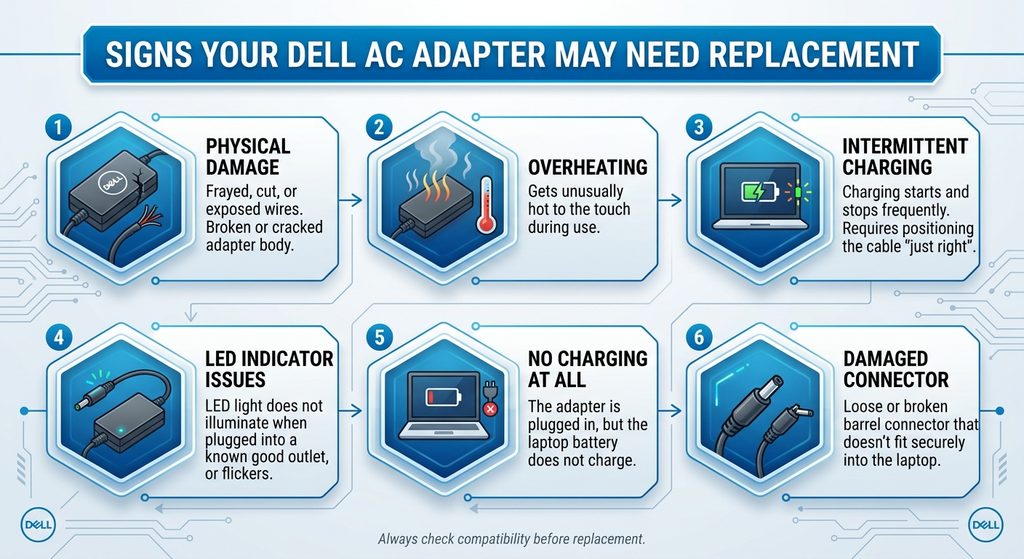
Laptop adapters can eventually wear out, especially when they are frequently transported or bent.
Here are some common warning signs.
1. Laptop Is Not Charging
If the laptop suddenly stops charging, the adapter may be one possible cause.
However, the problem could also involve the battery, charging port, motherboard, or cable.
2. Intermittent Charging
If charging starts and stops when you move the cable, inspect the cable and connector for damage.
3. Damaged Cable
Cuts, exposed wires, severe bending, or melted insulation are reasons to stop using the adapter and replace it.
4. Adapter Becomes Excessively Hot
Some warmth during normal operation can be expected, but an adapter that becomes unusually hot may indicate a problem.
If you notice burning smells, smoke, visible melting, or unusual noises, disconnect it from power immediately.
5. Charging Warning
Some Dell laptops may display a warning when the system cannot properly identify or communicate with the connected power adapter.
This can happen for several reasons, including adapter compatibility, connector problems, or hardware issues.
Original vs. Compatible Dell Adapters
When shopping for a replacement, you may see two broad choices:
Original/OEM adapter
and
Compatible third-party adapter
An original adapter is designed for the manufacturer’s specifications and can be a straightforward replacement.
A reputable compatible adapter can also be an option, but it should clearly state its electrical specifications and supported laptop models.
Avoid extremely cheap adapters with unclear specifications or questionable construction.
The goal should not simply be finding the lowest price. The goal is finding a safe, properly specified adapter for your laptop.
Original vs. Compatible Dell Adapters
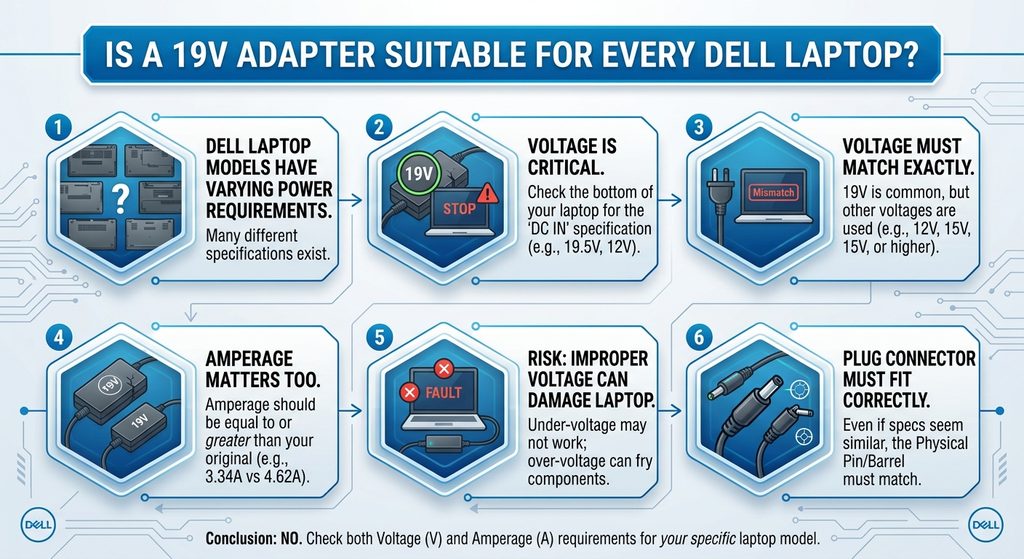
Before clicking the buy button, use this simple checklist.
Check the Voltage
Confirm the required voltage for your laptop.
Check the Wattage
Make sure the adapter provides the appropriate wattage for your Dell model.
Check the Amperage
Compare the required current with the adapter’s output rating.
Check the Connector
Confirm that the plug is designed for your laptop.
Check the Model Number
Use your Dell laptop’s exact model whenever possible.
Check the Adapter Part Number
If your original adapter has a Dell part number, searching by that number can make the replacement process easier.
Buy From a Reputable Seller
Look for clear specifications, accurate product information, and a reasonable return policy.
How to Keep Your Dell Charger in Good Condition
A good adapter can last much longer when handled properly.
Avoid tightly wrapping the cable around the adapter. Instead, loosely coil the cable without putting excessive pressure on the connector.
Keep the adapter away from water and excessive heat.
Don’t place heavy objects on the cable.
When disconnecting the charger, pull the plug rather than aggressively pulling the cable.
These simple habits can reduce unnecessary wear.
Is a 19V Adapter Suitable for Every Dell Laptop?
Definitely not.
Dell produces many different laptop families and configurations, and their power requirements can vary.
Some laptops require relatively low power, while performance-oriented models may require considerably more.
Therefore, the safest approach is to identify your exact laptop model and compare its required power specifications with the adapter you’re considering.
19V is only one part of the equation.
Frequently Asked Questions
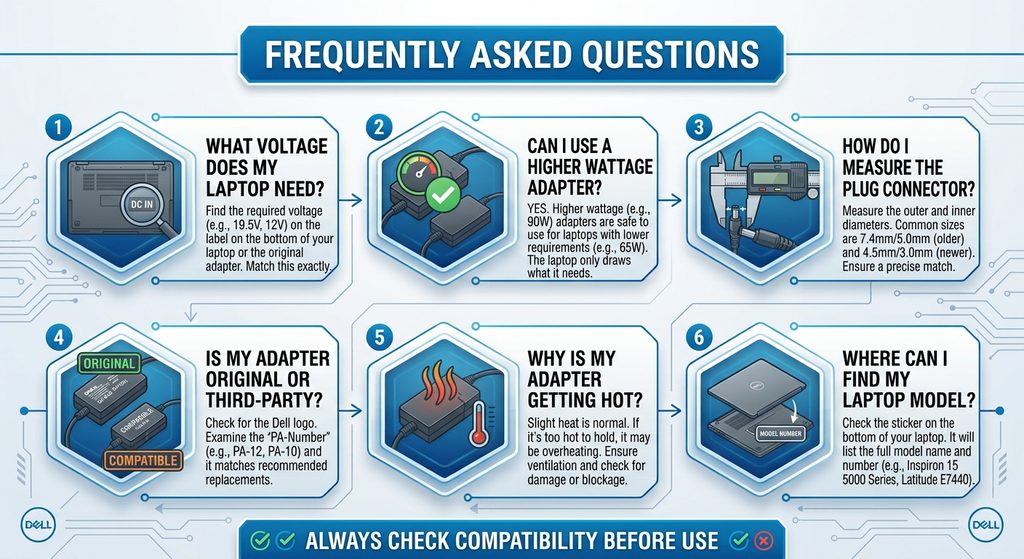
Is a Dell Laptop AC Adapter 19V universal?
No. A 19V rating alone does not guarantee compatibility. You should also check wattage, amperage, connector type, polarity, and your laptop model.
How do I know which Dell charger I need?
Check the original adapter’s output specifications and identify your exact Dell laptop model. The adapter’s voltage, current, wattage, and connector should match the requirements of the laptop.
Can a higher-wattage adapter be used?
It depends on the specific Dell model and adapter specifications. Do not assume that a higher wattage automatically means compatibility. Check the manufacturer’s requirements and connector specifications first.
Why is my Dell laptop not recognizing the charger?
Possible causes include a damaged adapter, connector problem, charging-port issue, incompatible adapter, or laptop hardware problem. Checking the adapter and testing with a known-compatible charger can help identify the cause.
Is it safe to use a damaged Dell charger?
A charger with exposed wires, melted insulation, burning smells, smoke, or other serious damage should not be used. Replace it with a properly specified adapter.
Final Thoughts
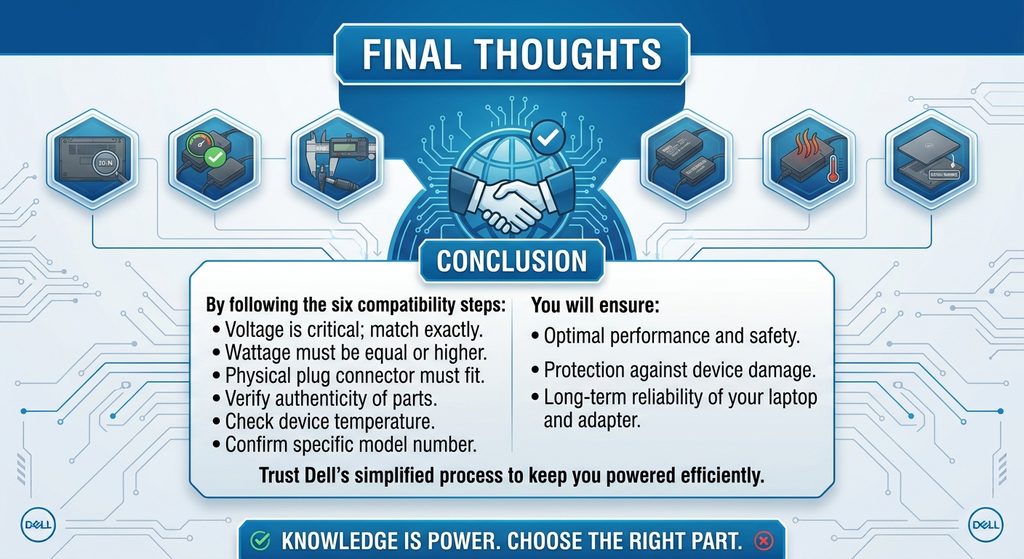
A Dell Laptop AC Adapter 19V may seem like a small accessory, but choosing the right one can make a big difference in your laptop’s everyday reliability.
Don’t choose a replacement based only on the words “Dell” and “19V.” Check the complete specifications, including voltage, amperage, wattage, connector type, and laptop model.
If your original adapter is damaged or missing, take a few minutes to identify your laptop’s exact requirements before purchasing a replacement. That small step can help you avoid charging problems and an unnecessary return.
The right adapter isn’t simply the one that fits your laptop—it is the one that matches its power requirements and is designed for safe, reliable operation.